Automating the boring stuff with Google Apps Script
07 November 2026 · 11 min read
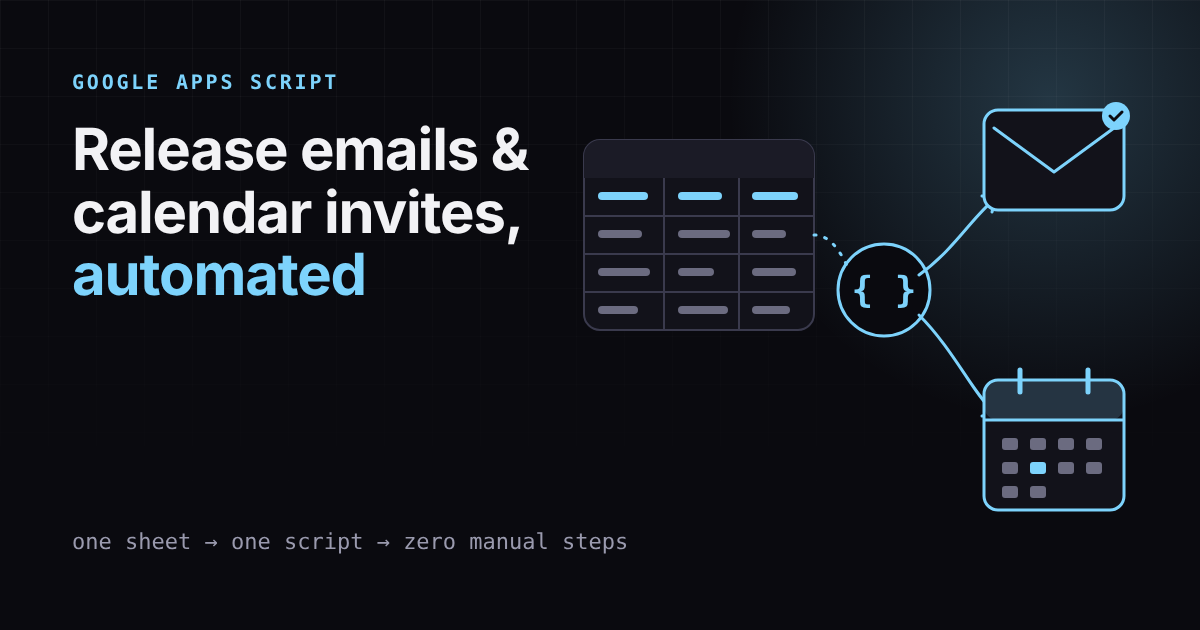
Every release needs the same two things: people have to be told, and the date has to be on everyone's calendar. Doing that by hand for every release event is slow and easy to get wrong. I automated both with Google Apps Script, and this post shows how the pieces fit together.
The problem
We track release events in a confluence page. For each event, someone had to:
Write and send an email announcing it.
Create a calendar invite with the right people and time.
Updating it with the details
This used to be a pain point - manually sending emails, creating invites, or updating them. It used to take significant amount of time.
Why Apps Script
Apps Script runs inside Google Workspace, so it talks to Sheets, Gmail, and Calendar without any server, hosting or credentials to manage. It is JavaScript, so it is easy to read and change. For an internal tool like this, that beats building a separate app.
Every release needs the same two things: people have to be told, and the date has to be on everyone's calendar. Doing that by hand for every release event is slow and easy to get wrong. I automated both with Google Apps Script, and this post shows how the pieces fit together.
The design
The sheet is the single source of truth. Each row is a release event with columns such as name, date, start and end time, attendees, and so on. Two scripts read from it:
Email automation. For each new or changed row, build an email from a template and send it to the right list.
Calendar automation. Create an invite for new rows, and update the existing invite when a row changes, instead of making a duplicate.
The key idea is to store the calendar event ID back in the sheet. That is how the script knows whether to create a new invite or update an existing one.
Creating or updating an invite
Here is the real calendar script. Each row of the sheet is one release event, and the columns are, in order: calendar ID, update toggle, version, product, release event, description, Jira link, release dashboard link, date, start time, end time, Zoom, attendees, recurrence and event ID. The helper functions (getOrCreateAuditTrailSheet, logAuditTrail, buildFormattedDescription, getProductColor, createZoomMeeting, buildRecurrenceRule) live elsewhere in the project.
function scheduleAllEvents() {
  const sheet = SpreadsheetApp.getActiveSpreadsheet().getActiveSheet();
  const lastRow = sheet.getLastRow();

  if (lastRow < 5) return;

  // Range A5:O
  const data = sheet.getRange(5, 1, lastRow - 4, 15).getValues();
  const user = Session.getActiveUser().getEmail();
  const auditSheet = getOrCreateAuditTrailSheet();

  data.forEach((row, i) => {
    const rowIndex = i + 5;
    const [
      calendarId, updateToggle, version, product, releaseEvent, baseDesc, jiraUrl, releaseDashboardUrl,
      dateStr, startTimeStr, endTimeStr, zoom, attendeesStr, recurrence, eventId
    ] = row;

    // 1. DETERMINE IF WE SHOULD PROCESS
    const hasExistingId = (eventId && eventId.toString().trim() !== "");
    const isUpdateRequested = (updateToggle && updateToggle.toString().trim().toLowerCase() === "yes");

    // Skip if it's an existing event but the user didn't mark "Yes"
    if (hasExistingId && !isUpdateRequested) {
      Logger.log(`Row ${rowIndex}: ID exists but Update is not 'Yes'. skipping.`);
      return;
    }

    // 2. VALIDATION
    let calendar = CalendarApp.getCalendarById(calendarId.trim());
    // calendar.setTimeZone('America/Los_Angeles');
    if (!calendar) {
      logAuditTrail(user, product, releaseEvent, "Failure", "Calendar not found", auditSheet, eventId);
      return;
    }

    // Time/Date Parsing (same as previous)
    const date = new Date(dateStr);
    const parseTime = (val) => {
      if (val instanceof Date) return { h: val.getHours(), m: val.getMinutes() };
      if (typeof val === "string" && val.match(/^\d{1,2}:\d{2}$/)) {
        const p = val.split(":");
        return { h: parseInt(p[0], 10), m: parseInt(p[1], 10) };
      }
      return null;
    };

    const startT = parseTime(startTimeStr);
    const endT = parseTime(endTimeStr);
    if (!startT || !endT || isNaN(date.getTime())) {
      logAuditTrail(user, product, releaseEvent, "Failure", "Invalid Date/Time", auditSheet, eventId);
      return;
    }

    const eventDate = new Date(date);
    eventDate.setHours(startT.h, startT.m, 0, 0);
    const endDate = new Date(date);
    endDate.setHours(endT.h, endT.m, 0, 0);

    const eventTitle = `${version || ""} - ${product || ""} - ${releaseEvent || ""}`.replace(/^ - | - $/g, "");
    const formattedDesc = buildFormattedDescription(baseDesc, jiraUrl, releaseDashboardUrl);
    const attendees = attendeesStr ? attendeesStr.split(",").map(a => a.trim()).filter(a => a) : [];

    // 3. EXECUTION
    try {
      let event = null;
      const productSync = product ? product.toString() : "";
      const eventColor = getProductColor(productSync);
      // ATTEMPT UPDATE IF ID EXISTS
      if (hasExistingId) {
        // Try to get the event from the specific calendar first
        event = calendar.getEventById(eventId.toString().trim());

        if (event) {
          Logger.log(`Updating event: ${eventId}`);
          event.setTitle(eventTitle);
          event.setDescription(formattedDesc);
          event.setTime(eventDate, endDate);

          // Only update location if a new Zoom link was generated or if Zoom is requested
          if (zoom && zoom.toString().toLowerCase().startsWith("y")) {
             const zoomLink = createZoomMeeting(eventTitle, eventDate, ((endDate - eventDate) / 3600000) + 1);
             event.setLocation(zoomLink);
          }

          // Guest Sync
          const currentGuests = event.getGuestList().map(g => g.getEmail());
          attendees.forEach(email => { if (!currentGuests.includes(email)) event.addGuest(email); });
          currentGuests.forEach(email => { if (!attendees.includes(email)) event.removeGuest(email); });

          // CLEAR THE "YES" TOGGLE
          sheet.getRange(rowIndex, 2).setValue("");
        } else {
          // If ID exists but event isn't found, stop to prevent duplicates
          throw new Error("Event ID exists in sheet but was not found in Calendar. Manual check required.");
        }
      }
      // CREATE NEW IF NO ID EXISTS
      else {
        Logger.log("Creating new event...");
        let zoomLink = "";
        if (zoom && zoom.toString().toLowerCase().startsWith("y")) {
          zoomLink = createZoomMeeting(eventTitle, eventDate, ((endDate - eventDate) / 3600000) + 1);
        }

        if (recurrence) {
          const rule = buildRecurrenceRule(recurrence, eventDate);
          event = calendar.createEventSeries(eventTitle, eventDate, endDate, rule)
                          .setDescription(formattedDesc).setLocation(zoomLink);
          if (eventColor) event.setColor(eventColor);
          attendees.forEach(email => event.addGuest(email));
        } else {
          event = calendar.createEvent(eventTitle, eventDate, endDate, {
            description: formattedDesc,
            guests: attendees.join(","),
            sendInvites: true,
            location: zoomLink
          });
          if (eventColor) event.setColor(eventColor);
        }
        // Write the new ID back to the sheet
        sheet.getRange(rowIndex, 15).setValue(event.getId());
      }

      logAuditTrail(user, product, releaseEvent, "Success", "", auditSheet, event.getId(), calendar.getName(), recurrence || "");

    } catch (err) {
      Logger.log(`Error on row ${rowIndex}: ${err.message}`);
      logAuditTrail(user, product, releaseEvent, "Failure", err.message, auditSheet, eventId);
    }
  });
}
What the script does, step by step
Decides what to touch. A row with no event ID is new. A row with an ID is only updated when someone types "Yes" in the Update column, so a normal run never changes existing invites by accident.
Validates first. It checks that the calendar exists and that the date and times parse. A bad row is logged and skipped, and the rest of the sheet still runs.
Builds the invite. The title is
version - product - event, the description is assembled from the notes plus the Jira and dashboard links, and each product gets its own colour.Creates or updates. New rows create an event (or a recurring series) and write its ID back to column O. Existing rows update the title, description, time and Zoom link.
Syncs guests. It adds new attendees and removes anyone no longer listed, so the invite always matches the sheet.
Refuses to duplicate. If the sheet has an ID but Calendar can't find the event, it stops with an error instead of creating a second invite.
Clears the toggle. After an update the "Yes" is reset, so the next run skips the row.
Records everything. Every success and failure goes to an audit sheet with who ran it, which event, and why it failed.
Sending the email
The email side is a function that a small web form calls. The form sends an email type (proposed, released, branch lock and so on), and the script maps that form's fields onto template variables, fills a template stored in a Google Doc, and sends the result through Gmail. Product names below are placeholders.
function sendEmail(formObject) {
  let logStatus = '';
  try {
    const mode = formObject.mainEmailType;
    const docId = "YOUR_TEMPLATE_DOC_ID"; // Google Doc that holds the email templates

    // 1. Set up recipients
    let finalTo = formObject.to_multi;
    let finalFrom = formObject.from || "";
    const finalCc = formObject.cc_multi || "";
    const finalBcc = formObject.bcc_multi || "";

    // 2. Map the form's fields onto template variables (Version, Date, etc.)
    let v = formObject;

    if (mode === 'proposed') {
      v["Version"] = formObject.HFVersion;
      v["ReleaseType"] = formObject.ReleaseType;

      // Split timing per region, or one universal date
      const isUniversal = (formObject.RegionTiming === "Yes" || !formObject.Product.includes("Product1"));

      const rawDate = isUniversal ? formObject.UniversalDate : formObject["EU/USDate"];
      const formattedDate = formatDateToMDY(rawDate);

      v["ReleaseDay"] = getDayName(rawDate);
      v["EU/USDate"] = formattedDate;
      v["Date"] = formattedDate;
    }
    else if (mode === 'instructionsFreeze') {
      v["Version"] = formObject.FreezeVersion;
      v["Date"] = formatDateToMDY(formObject.FreezeDate);
      v["JiraTicket"] = formObject.FreezeJira;
    }
    else if (mode === 'action') {
      v["Version"] = formObject.ActionVersion;
      v["ReleaseType"] = formObject.ActionReleaseType;
      v["JiraTicket"] = formObject.ActionJira;
      v["Product"] = "Product1";
    }
    else if (mode === 'released') {
      v["Version"] = formObject.OpsVersion;
      v["Product"] = formObject.OpsProduct;
      v["ReleaseType"] = formObject.OpsReleaseType;
      v["Date"] = formatDateToMDY(formObject.OpsDate);
      v["ReleasePhase"] = formObject.OpsReleasePhase;
      v["ReleaseInstructions"] = formObject.OpsInstructions;
      v["DeployJira"] = formObject.OpsDeployJira;
      // Only Product1 has modules; blank it otherwise to keep the audit log clean
      if (formObject.OpsProduct.includes("Product1")) {
        v["Module"] = formObject.OpsModule;
      } else {
        v["Module"] = "";
      }
    }
    else if (mode === 'branchLock') {
      v["Version"] = formObject.BranchLockVersion;
    } else if (mode === 'triageStatus') {
      v["Version"] = formObject.TriageVersion;
      v["Release"] = formObject.TriageReleaseType;
      v["Date"] = formatDateToMDY(formObject.TriageDueDate);
      v["TriageDueTime"] = formObject.TriageDueTime || "EOD"; // due time, defaults to end of day
    }

    // Safe fallbacks so a blank field never produces a broken email
    if (!v["Version"]) v["Version"] = "[Version Not Provided]";
    if (!v["Date"]) v["Date"] = "[Date Not Provided]";

    let processedBody = "";

    // 3. Triage is built in code; everything else comes from a Doc template
    if (mode === 'triageStatus') {
      processedBody = buildTriageEmailInline(v);
    } else {
      let docHeader = "Proposed Hotfix";
      if (mode === 'released') docHeader = "Released to Operations";
      if (mode === 'action') docHeader = "Need Action";
      if (mode === 'instructionsFreeze') docHeader = "Deployment Notes Instructions Freeze";
      if (mode === 'branchLock') docHeader = "Branch Lock";

      const doc = DocumentApp.openById(docId);
      let rawBody = extractEmailBodyFromDoc(doc, docHeader, v);
      processedBody = performVariableReplacement(rawBody, v);
    }

    // Pick the sender name from the product
    if (v["Product"].includes("Product2")) {
      email_name = "Product2 Release Engineering";
    } else if (v["Product"].includes("Product3")) {
      email_name = "Product3 Release Engineering";
    } else if (v["Product"].includes("Product4") || v["Product"].includes("Product5") || v["Product"].includes("Product6")) {
      email_name = "Group B Release Engineering";
    } else {
      email_name = "Product1 Release Engineering";
    }

    // 4. Send the email
    GmailApp.sendEmail(finalTo, formObject.subject, "", {
      htmlBody: processedBody,
      name: email_name,
      cc: finalCc,
      bcc: finalBcc,
      from: finalFrom
    });

    auditLog_(v, formObject.subject, formObject.to_multi || "Unknown", "Success");
    return "Email successfully sent to " + formObject.to_multi || "Unknown";
  } catch (e) {
    logStatus = "Failed: " + e.message;
    auditLog_(formObject, formObject.subject, formObject.to_multi || "Unknown", logStatus);
    throw new Error("Server Dispatch Failed: " + e.message);
  }
}
How the email script works
One function, many email types. The form sends a
mainEmailTypesuch as proposed, released, action, branch lock or triage. Anifbranch maps that type's form fields onto shared template variables likeVersion,DateandReleaseType.Templates live in a Google Doc. Each email type has a heading in the Doc. The script finds the section under that heading and replaces placeholders with the form values, so people can reword an email without touching code.
One email is built in code. The triage status email is generated inline, because it needs logic a plain template can't express.
Dates are formatted once. Helper functions turn form dates into one consistent format and add the weekday.
Safe fallbacks. A missing version or date becomes a visible "[Version Not Provided]" instead of an empty gap in the email.
Sender name by product. The display name changes with the product, so replies and inbox filters go to the right team.
Everything is audited. Success and failure both write to an audit log with the subject and recipients, and failures are re-thrown so the form can show an error.
What I learned
Store IDs, not guesses. Saving the calendar event ID is what turns "create" into "create or update".
Make it safe to run twice. Mark rows as sent so a retry never spams people.
Skip bad rows quietly. Validate each row and skip incomplete ones instead of crashing the whole run.
Mind the quotas. Apps Script limits emails and calendar calls per day, so batch carefully.
Keep the sheet the source of truth. If people edit invites by hand, the sheet and calendar drift apart.
The release calendar is now accurate, and announcing a release is a matter of filling in a row.
Next time you do the same manual task twice, ask whether a short script could do it for you.